
Educational Technology Services and College of Medicine Information Technology
Educational Technology Services (ETS) and Whiddon College of Medicine Information Technology (COM IT) provide computer, audio/visual support, video production creation and on-site technology integrations/installations for the Whiddon College of Medicine and for the College’s classrooms at USA healthcare facilities.
ETS instructs and educates users in the operation of classroom technology equipment and software and prepares audio and visual multimedia in the support of medical education, graduate medical education and continuing medical education. The team provides lecture capture setup and record as well as professional video production from script creation to the final concept.
The Whiddon College of Medicine IT team supports students, faculty and staff by managing and maintaining computer systems, including networks and software. Our team is responsible for installing hardware/software, troubleshooting technical issues, managing data backups, and implementing security measures to ensure optimal, secure, and efficient technology infrastructure.
Our main office on campus is in the Medical Sciences Building in room 1180-A. We also have an office in the Mastin Building, behind University Hospital, in room 201C.
View information on individual rooms and available equipment.
Services
Digital Signage
ETS provides College of Medicine information on three monitors in the Medical Sciences Building and a signage monitor on the 2nd floor at Mastin. At the MSB, one of them is in the lobby, on the first floor; another, on the second floor adjacent to the breezeway to CSAB; and the third one is on the 3rd floor on the back hallway.
To request your message to be placed on the signage monitors, please fill out the Digital Signage Request Form, attach your signage, and email it to etsmultimedia@southalabama.edu. Pease make sure on the signage form that you include a start and end date. Also note whether you want it posted at MSB or Mastin or both.
Signage Guidelines
The following guidelines apply to the MSB monitors as well as the CSAB lobby monitor.
The event, activity, or message must be College of Medicine or University related or sponsored by a College of Medicine affiliated club or organization. The message should be related to the mission or business of the College of Medicine and consistent with the types of allowed messages described below.
Messages
Below is a sampling of the types of messages that are allowed and not allowed. ETS will need up to 48 hours to review your request before posting.
Allowed Messages
- College of Medicine class schedules.
- College of Medicine lunch and learns.
- Continuing Medical Education events, seminars, and conferences. These events include grand rounds and must be supported by the College of Medicine CME office.
- College of Medicine research events and presentations including Distinguished Speaker seminars, Summer Research, Chalk Talk, open and closing defenses, and other lectures providing education for College of Medicine students and faculty.
- College of Medicine holiday closures.
- College of Medicine sponsored wellness events.
- Messages that solicit support for an official College of Medicine effort or at the Dean’s request. Faculty and Staff Appreciation Day is an example of an official College of Medicine event.
- Messages from the President’s office that solicit support for an official effort. Examples of approved official University efforts are the Annual Fund and town hall meetings.
- Events and seminars at university healthcare facilities that provide COM faculty development and graduate medical education.
- Health and safety notices.
- Emergency updates and alerts.
- Notification of College of Medicine network or other computer related events, including service outages.
Messages Not Allowed
- Messages of a commercial, political, religious, or lobbying nature.
- Personal notices, e.g., items for sale or rent; lost or found; baby, wedding, promotions, or retirement announcements.
- Employment postings. (Please direct those to the Office of Human Resources.)
- Messages that solicit support (financial or otherwise) for charity, personal gain, or special causes not connected with an official University effort.
Video Production
Educational Technology Services provides technical and pedagogical support for the creation of narrative-based video, audio, and other new media to enrich teaching, learning, and research. We can supply full video production services including concept development, recording and postproduction.
ETS offers lecture capture recording with the use of Panopto. We also have professional video production services for CME conferences, surgical procedures, and other College of Medicine events. From concept development, recording and post-production, we can produce a video that is that is right for you.
Video Conversion
ETS and College of Medicine IT provides video conversion for all popular and even some of the unusual media formats. We can convert video for many devices. We can download videos and convert the files for inserting into PowerPoint presentations or as stand-alone videos.
Classroom Installation and Design
Our installations have been centered on not only upgrading classroom technology to enhance our faculty’s teaching abilities but also the students' learning experience. We believe that technology works when it is properly integrated into the curriculum, when teachers are trained to use it effectively, and appropriate software and technical support are provided.
With visual tools such as HD projectors, interactive whiteboards and wireless presentation systems, we have helped faculty expedite the delivery of information and engaged the attention of the audience. At Educational Technologies & Services, we can help design a classroom to meet your teaching/meeting needs. We can obtain quotes for the equipment that needs ordering, and for small jobs, we may be able to install everything you need.
CME Conferences
We provide support for conferences scheduled through the USA CME office. Services that can be requested include equipment setup and breakdown, an on-site technician, and recording services. Please request A/V assistance as soon as you know your conference date and location. ETS would like to be there from the get-go for any meetings discussing audio/visual needs for your conference.
Future Technologies
The ETS and College of Medicine IT team serves as the lookout for new opportunities to improve teaching and learning through technology. We keep our eyes on new and the upcoming technologies to help solve the challenges of our medical students and faculty. If there is a technology that you would like us to demo, please let us know!
Equipment Check Out
We have equipment for College of Medicine faculty to check out for teaching. This equipment includes computers, projectors, screens, audio PA systems, laptops, PowerPoint remotes, web cameras and microphones. Please contact Joanne Brookfield at jbrookfield@southalabama.edu or (251) 460-6318 for more information.
New Computers
The director specs out computer and gets a quote. If the quote is approved by the department head, the department head provides a FOAPAL and the computer is ordered. When the computer comes in, it is assigned an inventory number, placed on the COM inventory sheet, and then the requested software is installed. After software installation, the computer is set up by ETS/IT staff in the department’s office.
Monitors, hard drives and printers can be ordered by the department, but they must be giving an inventory number by ETS/IT. Please let us know when the item comes in. If you want us to order for you, please provide a FOAPAL and detail of the item.
Information Security Recommendations for the College of Medicine
All employee workstations should be joined to the Active Directory domain. (USA Networking must be engaged, as it will first need to be configured).
- Allows account credentials to be centrally managed and subject to stricter password policies.
- Workstations are subject to group policy security settings.
- Allows potentially infected workstations to be identified and traced back to a specific person.
- Allows for College of Medicine IT to have improved administrative capabilities and management over IT systems.
Computers should always utilize current, supported operating systems when possible.
- Outdated operating systems lack support and future security updates that fix critical vulnerabilities. Auto update should be configured on each computer.
- Office applications, such as Adobe, MSOffice, and browsers, should be configured for auto-updates as cyber attackers are constantly looking for new vulnerabilities in software.
All outdated operating systems such as Windows XP or Windows 2000 should be segregated or removed from the University network.
- Workstations using unsupported operating systems are vulnerable to various forms of attack and should be isolated from other devices on USA networks. Research labs containing such devices using Windows XP, Windows 2000, or other similar operating systems should be placed in a segregated network with restricted network traffic that only permits what’s needed for microscope or other operations.
- Any other device utilizing an unsupported operating system should be upgraded if possible or removed from the network.
No non-University issued routers or mini switches should be allowed.
- Mini switches were found to be in use in some of the labs, which is against the USA Network Connection Policy found under the Computer Center’s website. These devices often cause network disruptions and are subject to removal and disposal.
- Can allow unauthorized access into secure networks used for business or research purposes.
Departments dealing with financial or PII should use Identity Finder to identify and remove such data.
- Identify PII such as Social Security numbers, driver’s license numbers, and credit card numbers in financial or administrative areas as to prevent data exfiltration. Allows for identification of the presence of "old data" that the user is unaware of
- If present, use Identity Finder to identify and remove protected health information (PHI).
Any desktops purchased through external vendors or retrieved from property should be provisioned by College of Medicine IT before initial use.
- This ensures devices remain secure per recommended standards and prevents potentially malicious devices from being introduced into the environment and USA networks.
- Provisioning should include:
- Add all new computers to the USA domain.
- Give IT admins administrative permission on the machine for continued support.
- Install University approved antivirus.
- Enable and install Windows Updates.
- Remove unnecessary software not related to job functions (games, etc).
- Reference Information Security’s best practices for additional recommendations.
Doors to faculty offices or research labs should remain closed and locked when unoccupied or not in use.
- Locked doors prevent documents, items, and potential research from being stolen. It also prevents unauthorized, malicious manipulation of USA devices including faculty workstations.
Faculty and staff members should enable two factor authentications for their University email.
- Two factor authentication lowers the risk of an employee’s account becoming compromised if their password were to be stolen in some fashion.
Information Security Training should be completed by all faculty and staff.
- InfoSec training reinforces information security hygiene. People are easy to compromise, especially if they lack proper training in the basics of information security best practices.
IT Help (Ticket)
If you need computer, printer, network or software help, please email helpdesk@southalabama.edu and fill in the information. An ETS/IT staff member will get to your ticket ASAP.
Please refer to our FAQ page on some troubleshooting tips.
Frequently Asked Questions
IT Troubleshooting and Software Guide: Whiddon College of Medicine
1. New Hire Onboarding (Manager's Checklist)
To ensure a professional and functional first day for new staff, managers are encouraged
to coordinate with the COM IT team.
- Point of Contact: Please send all new hire notifications to Joanne Brookfield at jbrookfield@southalabama.edu.
- Lead Time: Please notify us at least one week before the start date.
- Network Credentials: Early notice allows us to coordinate with the CSC to have network credentials, email accounts, and system access ready for the first morning.
- Equipment Check: We will verify if the existing computer in the workspace is up-to-date and functional before the employee arrives.
2. New Computer Procurement and Accessories
All new computer purchases and setups must be routed through Joanne Brookfield at
jbrookfield@southalabama.edu.
- Departmental Costs: When purchasing a new computer, the department is responsible for the following physical
accessories:
- Cables: Ethernet/network cables for a wired connection (essential for printers and desktops).
- Power Protection: Every computer must be protected by a surge protector (built into a power strip) or a UPS (Uninterruptible Power Supply).
- Coordination: Please contact Joanne before ordering to ensure you are selecting the correct hardware, cables, and power units for your specific office location.
3. Adobe Acrobat Pro: DocRoute & Account Setup
To obtain an Adobe Acrobat Pro license, you must submit a formal request through the University's DocRoute System. This license is tied to your individual University identity and requires specific departmental approval.
Eligibility Requirements
- Required Email: You must have a @southalabama.edu email account.
- Eligible Users: Only General Division faculty and staff.
- Ineligible Users: Students, student workers, and USA Health employees are not eligible for this specific University site license.
How to Find the Request Form
- Login: Access the DocRoute System using your JagID and password.
- Once logged into the DocRoute System navigate from the menu on the left of the screen, select Computer Service Center.
- Select Form: From the drop-down menu that appears, click on Adobe Acrobat Request.
- Complete Info: Enter your user information and select your Supervisor as the individual to approve the request. Then click submit.
Activating Your Account
Once your DocRoute is approved by your supervisor and processed by the CSC, you will receive a confirmation email. You must then manually establish your account connection:
- Sign In: Go to Adobe.com and click Sign In (top right of the web page).
- Credentials: Enter your full @southalabama.edu email address.
- Account Type: If prompted to choose between "Personal" or "Company/School," select "Company or School Account."
Verification
- You will be redirected to the University’s Single Sign-On (SSO) page to enter your JagID and password.
- You can then download the Adobe Creative Cloud App, which will then allow you to install the Adobe Acrobat Pro.
- Important Note: If Acrobat still asks you to "Buy Now" or "Start Trial" after approval, sign out of the Adobe Creative Cloud app entirely and sign back in using the Company or School Account option to refresh the license.
4. Specialty Research Software (GraphPad, BioRender, EndNote)
COM IT is happy to assist with all specialty software needs—including purchasing,
installation, activation, and troubleshooting.
- Important Licensing Rule: Licenses are tied to a specific machine. You cannot run the software on two machines using a single license. If you transfer to a new computer, you must either purchase a new license or have the existing license officially transferred.
- Primary Contact (Billing/FOAPAL): Joanne Brookfield (jbrookfield@southalabama.edu)
- Technical Contact (Install/Assistance): Tony Lamm (tonylamm@southalabama.edu)
| Software | Required Information | Billing and Licensing Structure |
|---|---|---|
| GraphPad | FOAPAL, Email, Name of Installer |
Annual Renewal: Billed per user, per computer. |
| BioRender | FOAPAL, Email, Name of User | Annual Renewal: Billed to FOAPAL every year. |
| EndNote | FOAPAL, Email, Name of User |
One-Time Fee: Billed per user, per computer. |
5. VPN Setup and Duo 2-Step Verification
The VPN (Cisco AnyConnect) is required for off-campus access to university resources.
- The Approval Process (DocRoute): You must first submit a request via the DocRoute VPN Request. Approval typically takes 2–3 days.
- Software Setup: While the VPN software is easily downloaded and set up, the "official" instruction screens do not always line up exactly with what you will see on your specific system.
- COM IT Assistance: We are happy to help you with the setup. We will ensure the software is configured correctly and that you have the proper folder permissions for the Combo Drive and databases like Banner and PAWS.
6. Printer Connectivity and IP Address Issues
- No Wi-Fi Policy: The CSC does not support or endorse Wi-Fi connections for printers. All printers must have a wired LAN connection to prevent unauthorized access.
- The Fix: We coordinate with the CSC for Reserved Static IPs, driver installs, and cabling issues. Please route these requests through Joanne Brookfield (jbrookfield@southalabama.edu).
7. Email Login vs. Domain Credentials
- The Distinction: Email login credentials are NOT the same as Domain (Network) credentials. They are separate systems; changing your email password does not automatically change your computer login password.
- The Quick Fix: If Outlook fails, log in via a web browser first. This triggers the Duo prompts that the desktop app often hides.
8. Universal Quick Fix Maintenance
- Microsoft Updates: Go to Settings > Windows Update and check for all updates.
- The True Reboot: You must click "Restart." "Shut Down" does not fully refresh the system memory on modern computers.
- Clear Browser Cache: If a site like Banner or JagMail acts up, clear your browser's cache and cookies.
Useful CSC Links
Faculty and Staff
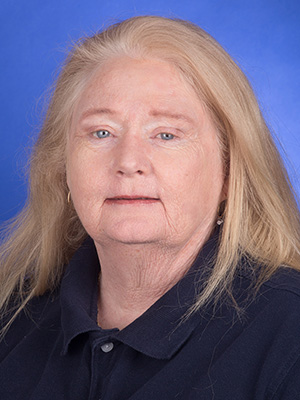
Director, Educational Technology Services and College of Medicine Information Technology
jbrookfield@southalabama.edu
251-460-6318
251-391-2544
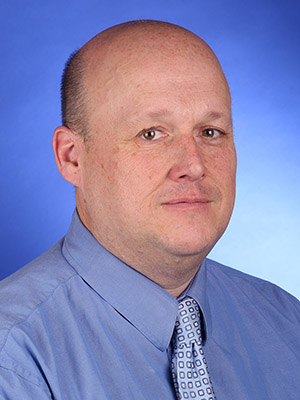






Thomas Johnson
Educational Technology Technician
thomasjohnson@southalabama.edu
251-460-6307
251-460-6318

Computer Systems & Software Specialist I

Management Systems Specialist II